This project is more of a technical one where I wanted to explore the procedural systems that Houdini and Unreal offer. This project is mainly driven by an Ice Floe Generator Houdini Digital Asset (HDA) which then is scattered across the water plane with a PCG graph.
Ice Floe Generator
I knew that modeling hundreds of different ice floes was not going to be feasible, especially if I wanted to scale the project in the future. This is a procedural ice-floe generator I built in Houdini for an Unreal Engine 5 scene. A seed parameter drives the asset with additional parameters to tweak its size, thickness, where it sits on the waterline and how small the geometry that makes it up is.
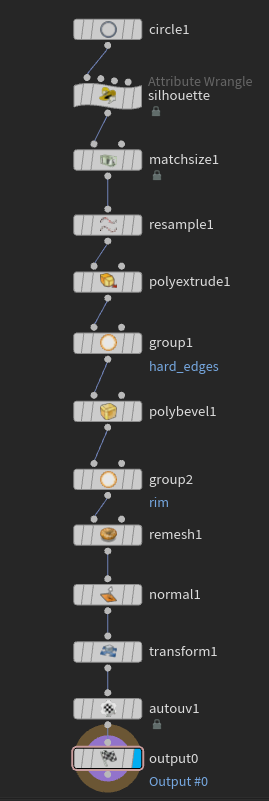
VEXAttribute Wrangle · silhouette
float seed = chf("../seed");
float ang = atan2(@P.z, @P.x);
float r   = sqrt(@P.x*@P.x + @P.z*@P.z);

// jitter every corner's angle and radius so no two floes match
ang += fit01(rand(@ptnum*7.77  + seed*13.1), -0.22, 0.22);
r   *= fit01(rand(@ptnum*17.03 + seed*3.7 ),  0.62, 1.30);

@P = set(cos(ang)*r, 0.0, sin(ang)*r);
VEX Explained: Essentially what the code is doing is taking each point, turning it into polar coordinates, rotating each point randomly between ±0.22 radians from the center, then multiplying the distance from center by a random value between 0.62 and 1.3.
The rest of the nodes add a slight bevel to only the hard edges of the mesh and then add UVs.
I also wrote (with help) a batch export script since I knew that manually exporting dozens of seeds was going to be very tedious.
PythonBatch export · Houdini Python Shell
# Ice floe batch export - Unreal-ready orientation baked in.
import hou, os

NODE_PATH = "/obj/GEO_Ice_Floes_Flat/subnet1"  # the node that has the Seed parameter, if the node name gets changed, change this part too.
SEEDS     = range(215, 230)                    # SEEDS = [200, 203, 207, 220] for specific seeds.
PREFIX    = "SM_FlatFloe_Small"
OUT_DIR   = "E:/Projects/003 NorthwestPassage/assets/Floes/Floes_Flat"
SCALE     = 100.0                              # metres -> Unreal cm
ROT_X     = 90.0                               # Correcting the Houdini Y-up to Unreal's Z-up.

node = hou.node(NODE_PATH)
if node is None:
    raise ValueError("NODE_PATH not found: %s" % NODE_PATH)
if isinstance(node, hou.ObjNode):
    node = node.displayNode()

seed_parm = node.parm("seed")
if seed_parm is None:
    raise ValueError("No 'seed' parameter on %s" % node.path())

out_dir = hou.text.expandString(OUT_DIR)
os.makedirs(out_dir, exist_ok=True)

original_seed = seed_parm.eval()
count = 0
try:
    for i, s in enumerate(SEEDS, start=1):     # i = file number, s = seed
        seed_parm.set(s)
        node.cook(force=True)
        src = node.geometry()
        if src is None:
            raise RuntimeError("No geometry at seed %s - check the node for errors" % s)
        geo = hou.Geometry()
        geo.merge(src)
        if ROT_X != 0.0:
            geo.transform(hou.hmath.buildRotate(ROT_X, 0, 0))
        if SCALE != 1.0:
            geo.transform(hou.hmath.buildScale(SCALE, SCALE, SCALE))
        path = os.path.join(out_dir, "%s_Seed_%03d.obj" % (PREFIX, s))  # path = os.path.join(out_dir, "%s_%03d.obj" % (PREFIX, i))  for 1,2,3 naming.
        geo.saveToFile(path)
        count += 1
        print("wrote %s  (seed %d)" % (path, s))
finally:
    seed_parm.set(original_seed)

print("Done - %d floes in %s" % (count, out_dir))
I realized at some point it was useful for me to know what the exact seed of the mesh was as I was troubleshooting. I had the script save each mesh with the exact seed in its name, but there’s also an option to do the normal mesh_01, mesh_02 naming.
Scattering the Ice
The exported floes are placed by a PCG graph. It samples the ocean inside a spline boundary, gathers floes around the edges of the icebergs, keeps them spaced apart, and carves a clear channel along the ship's path.
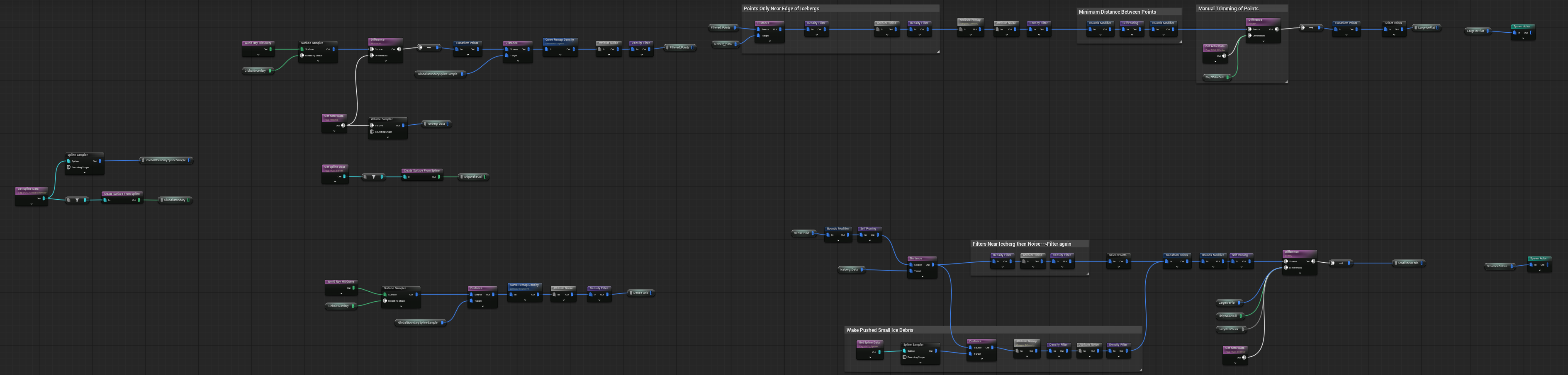
The PCG graph scatters points at two different densities: a higher density for the smaller debris like ice floes, and a lower density for the large flat ones.
One large spline defines the total area in which the points spawn, then any points spawning on an iceberg or within a certain distance of it get filtered out. Point bounds modifications and self-pruning nodes stop any points from overlapping, and there is an option for manual point culling by placing volume nodes with a certain tag. Though I suspect there is a better way to do this.
A second editable spline cuts out points in a certain area. I made that so it can look like the ship is cutting through the ice and pushing it to the sides. Finally, the meshes are spawned as actors so that they can bob along with the water material.
The Water Surface
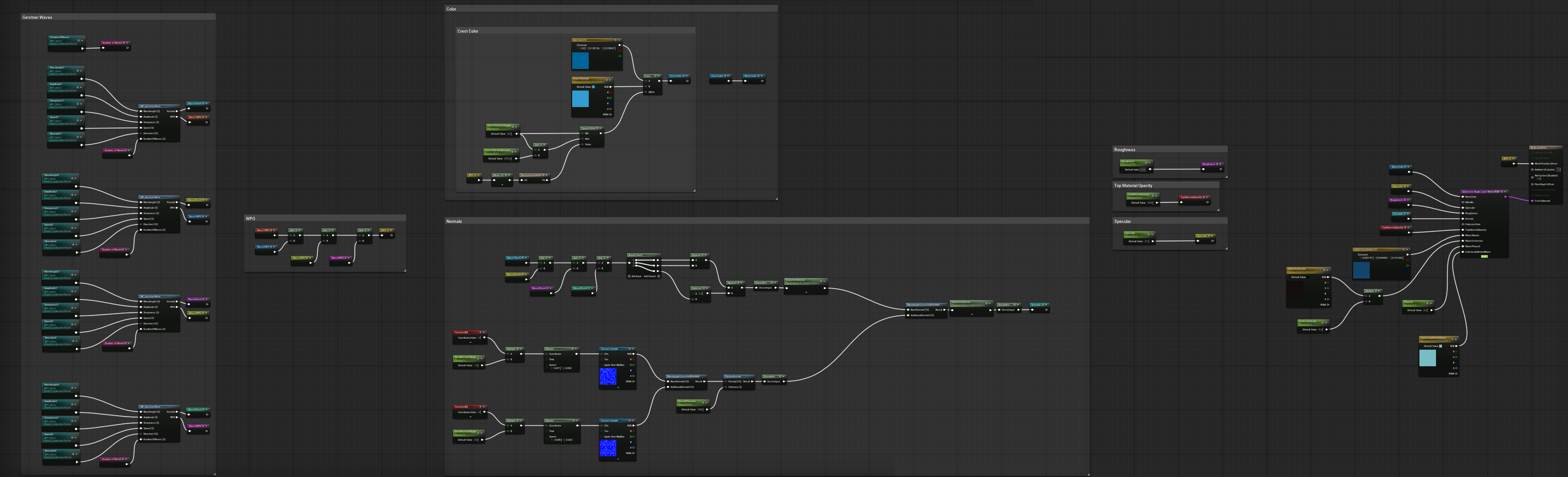
A Single Layer Water material. It is a combination of four Gerstner waves which drive the world position offset and normals. There is a faint hint of two panning normal maps just to add some surface detail.
Four Gerstner waves combined drive the ocean look. It's all controllable in a Material Parameter Collection (MPC) with parameters for wavelength, amplitude, steepness, speed and direction. The MPC also drives the actors, so editing the waves in the collection will also change how the meshes bob up and down in the scene.
Polarstern
The ship is modeled after the Polarstern II, a research vessel that is still being built (at the time of writing, at least). I was originally going to leave the ship fairly low detail, partly to save time and partly because it wasn't the main focus of the project, but it looked really bad in close-up shots.
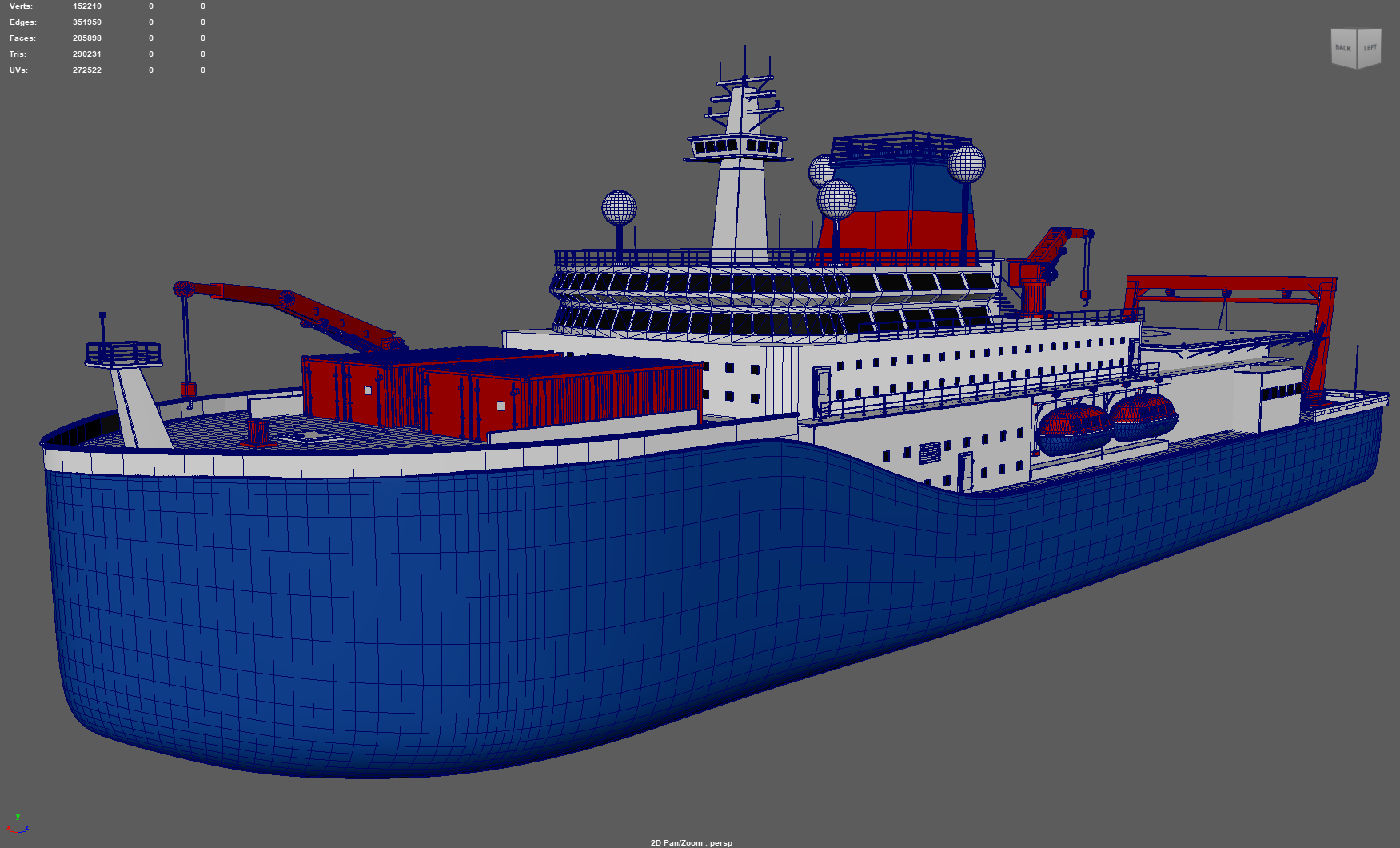
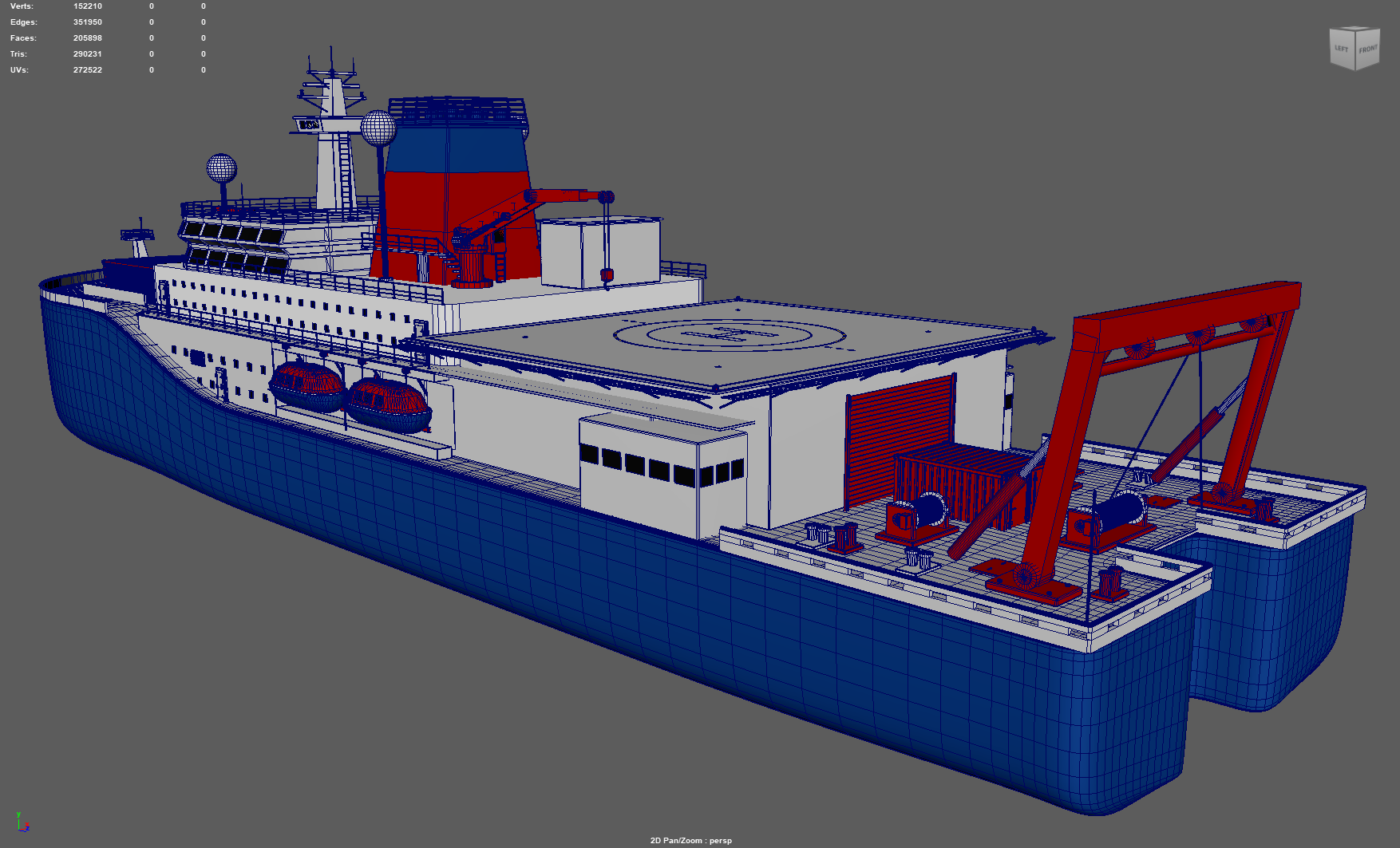
Shortcuts were definitely made for the model and some pieces of the ship don't match the ship compared to real life, but overall I'm happy with it.
Reflections
The project definitely isn't perfect; there are many things I believe could be optimized or done differently for a better outcome. For example, the ice chunks that bob in the water sometimes appear to float above it at certain wave positions, because the actor system is essentially faking the floating. I suspect I could have used the engine's buoyancy system, but I didn't get to explore it in depth.
I'm fairly happy with how the PCG turned out, but I suspect there is a better way to manually cull points than the current approach of spawning volumes and tagging them.
Overall, I'm happy with how this project turned out. I've learned so much working on this one.
Thanks for reading.